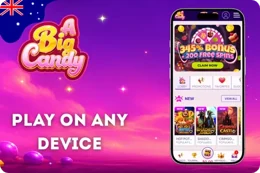
A Big Candy Casino App
Getting the app onto your phone takes about five minutes, and I'll go through each step slowly, the way it was once shown to me. Open the site, add it to your home screen, log in, and the 345% welcome bonus with 200 free spins will be there waiting.

Getting Started with the A Big Candy Casino App
A plain walk-through of what the app does and why we built it.
We are A Big Candy Casino, and our app puts the whole casino on your phone. If you have never installed a casino app before, that is fine. Think of it as our website in a tidier, quicker form that opens with one tap, the same way you open the weather or your messages.
Inside you will find the games you may already know by name. Gates of Olympus and Starburst sit next to Book of Dead, with titles from Pragmatic Play, NetEnt and Push Gaming. If you prefer a real person dealing the cards, our live tables run on Evolution. We also have betting and poker, so you do not need a separate app for each.
Paying in and cashing out works the same as on the desktop site. You can use Visa, Mastercard or Neteller, or crypto such as Bitcoin, USDT and TRON, with balances shown in AUD. New players can claim a welcome offer of up to 345% plus 200 free spins.
If something puzzles you, help is close by. Live chat is right in the app, and you can reach us by phone or email too.
Mobile Site or App: Which One Suits You Better
A plain look at both ways to play A Big Candy Casino on your phone.
My grandson asked me which one I use, and the honest answer is both, depending on the day. The mobile site opens in your phone browser, Chrome or Safari, with nothing to install. You type the address, log in, and Gates of Olympus or Book of Dead loads the same as it does on a computer.
The app takes a minute to set up, but after that it opens with one tap from your home screen. It also remembers your login, which saves my patience. Your balance in AUD, your bonus and your history are the same in both, because they share one account. Pick the one that feels comfortable. You can switch any time and lose nothing.
| Feature | Mobile site | App |
|---|---|---|
| Installation | None, opens in the browser | One-time setup from the site |
| Phone storage used | Almost none | A small amount |
| Getting in | Type the address, then log in | One tap from the home screen |
| Games available | Full lobby: Evolution, Pragmatic Play, NetEnt, Push Gaming | Same full lobby |
| Deposits | Visa, Mastercard, Neteller, Bitcoin, USDT, TRON | Same methods |
| Welcome offer | 345% bonus plus 200 free spins | Same offer |
| Support | Live chat, email, phone | Live chat, email, phone |
| Updates | Automatic on every visit | Applied when you open it |
How to Download the A Big Candy Casino App on Android
A plain walk-through for getting our casino onto your Android phone or tablet.
We don't keep our Android app in the Google Play Store, so you install it straight from our website as a small APK file. It sounds technical, but it's only a few taps. Once it's on your phone you get the same lobby you see on a computer: Gates of Olympus, Book of Dead and Starburst, plus live tables from Evolution. You can deposit in AUD with Visa, Mastercard, Neteller, Bitcoin, USDT or TRON.
Before you start, check that your phone has some free storage and a steady Wi-Fi connection. Take your time with each step below. If something looks unfamiliar, our live chat team can stay with you while you do it.
Go to the A Big Candy Casino website on your phone and tap the Android download button in the menu.
Your phone may ask about unknown sources. Open Settings, find Chrome and switch on permission to install apps.
Tap the downloaded file, press Install, then open the app and log in with your usual details.
Installing A Big Candy Casino on iOS
No App Store download needed, just Safari and about a minute of your time
We don't have a separate app in the Apple App Store. You can still put A Big Candy Casino on your iPhone or iPad home screen, and it will look and open like any other app. It works through Safari, the web browser that comes with every Apple device.
I'll go through it one step at a time. You don't need a password for Apple, there's nothing to pay, and it won't use up storage the way a big download does. When you're done you'll have a candy icon next to your other apps, and one tap takes you straight to Gates of Olympus, Book of Dead or the Evolution live tables.
Tap the blue compass icon and type our web address into the bar at the top. Chrome won't work for this, so stick with Safari.
Look at the bottom of the screen for a square with an arrow pointing up. Give it one tap.
Scroll down the list a little until you see it. You can rename the icon if you like, then press Add.
Find the icon on your home screen, open it and sign in. You can play in AUD and deposit with Visa, Mastercard, Bitcoin or USDT.
Everything the Full App Can Do
A plain walk through what you get once the app is on your phone.
Slots, live tables, sports betting and poker all sit in the bottom menu. Tap one and you're there. My grandson showed me once and I haven't needed help since.
Gates of Olympus, Book of Dead and Starburst load just as they do on the website. Pragmatic Play, NetEnt and Push Gaming titles are all in the lobby.
Real people deal roulette and blackjack on camera. Turn your phone sideways for a bigger picture, then tap the chip you want and place it on the table.
Pay with Visa, Mastercard or Neteller, or use Bitcoin, USDT and TRON if you prefer crypto. Open the Cashier, pick a method, type the amount and confirm.
New players can claim the 345% bonus and 200 free spins from inside the app. Read the terms on the Promotions page first, and take your time.
Live chat is one tap away. You can also reach us by email or phone if typing on a small screen isn't your thing.
A Look Inside the A Big Candy Casino App
Six screens that show you where everything sits before you tap a single button
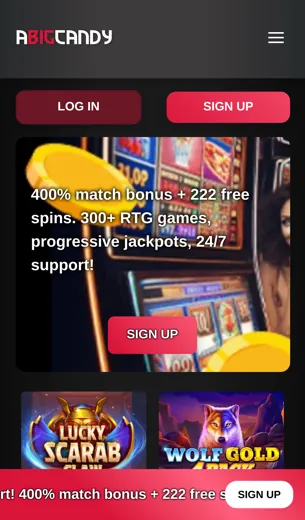
Before I put any money into an app, I like to see what it looks like inside. My granddaughter taught me that, and it's good advice. So here are six screens from the A Big Candy Casino app, one at a time, in the order you'd most likely use them.
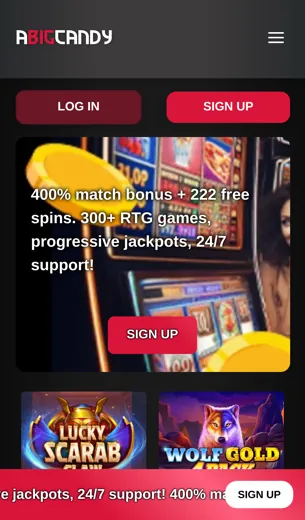
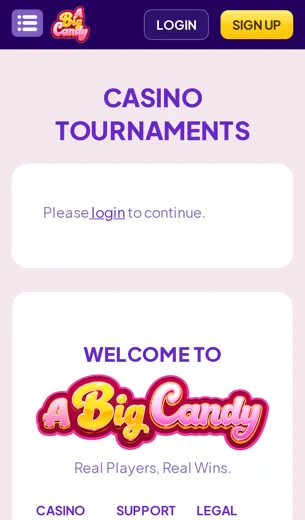
The first screen is the lobby. Slots like Gates of Olympus, Book of Dead and Starburst are right at the top, and the menu along the bottom takes you to live tables, sports betting and poker. Next is the welcome offer page, which sets out the 345% bonus and 200 free spins in plain figures. The cashier screen shows every payment option on one list: Visa, Mastercard, Neteller, Bitcoin, USDT and TRON, all in AUD.
After that you'll see an Evolution live dealer table, then the account page where your balance and bonus progress sit. The last screen is live chat. The help button stays in the corner on every page, so you can always find it. Take your time with each one.

Your First Deposit Bonus on the App
A 345% match and 200 free spins, explained one step at a time.
Our welcome offer on the A Big Candy Casino app is a 345% match on your first deposit, plus 200 free spins. To put it plainly, the first time you add money to your account, we add more than three times that amount as bonus funds. The free spins come with it.
Here is how I would go about it. Open the app and sign up with your details. Then tap the deposit button. Pick a payment method you feel comfortable with: Visa, Mastercard, Neteller, or a coin such as Bitcoin, USDT or TRON. Type in the amount in AUD and confirm. The bonus should appear in your balance shortly after.
Free spins are normally tied to popular slots, so you may end up spinning something like Gates of Olympus or Book of Dead. Take a few minutes to read the bonus terms before you play. The wagering rules matter most, because they tell you how much you need to bet before a win can be withdrawn.
App FAQ
Plain answers to the questions players ask us most often.
Is there a no deposit bonus on the app?
Not at the moment. Our main offer is the welcome package: 345% plus 200 free spins, paid after your first deposit.
How do I claim the welcome bonus?
Sign up, open the Cashier and make a deposit in AUD. The bonus is added to your account, so you can check the wagering terms before you play.
What is the $20 method?
It's a budgeting habit, not a trick. You pick a small amount, say $20, and stop once it's gone. We like the idea.
Which games pay back the most?
Look at the RTP number. Gates of Olympus sits around 96.5%, Book of Dead 96.21% and Starburst 96.1%.
How do I withdraw my winnings?
Go to the Cashier, tap Withdraw, choose Bitcoin, USDT, TRON, Visa, Mastercard or Neteller, then type the amount. Crypto usually arrives first.
What if I win $10,000?
Congratulations. We'll ask for ID once before a large payout. That is a normal step, and you only do it once.
Which payment methods can I use?
Bitcoin, USDT, TRON, Visa, Mastercard and Neteller, all shown in AUD.
Is playing online pokies illegal in Australia?
The Interactive Gambling Act is aimed at operators, not players. Still, check your local rules first and only play with money you can afford to lose.
Can I play through a VPN?
Please don't. A VPN can break our terms, and an account on one may be closed.
Who makes the games?
Evolution runs the live tables. Pragmatic Play, NetEnt and Push Gaming supply most of the pokies.
How do I reach support?
Use live chat in the app, or contact us by email or phone. Live chat is usually the quickest.